Automatic runs
Models and built-in examples run automatically when opened, with results shown in their plots.
Create, test, and ship models
Design electrical power systems, including IEC 61850 and protection functions. Intuitive interface, designed for convenience and efficiency. Generate C, C++, or Go code to deploy your model.
FEATURES
Control and power system modelling with electrical components, communication blocks, and protection functions.
Models and built-in examples run automatically when opened, with results shown in their plots.
View signals alongside the blocks that produce them. Double-click a scope to expand its plot or collapse it back to a compact view.
Choose a language in the Generate code dialog, then download the generated source files for your model. Optimised for real-time applications.
Model three-phase networks, cables, DC systems, and inverter switching. Simulate electrical behaviour in the time domain or use phasor analysis for AC networks.
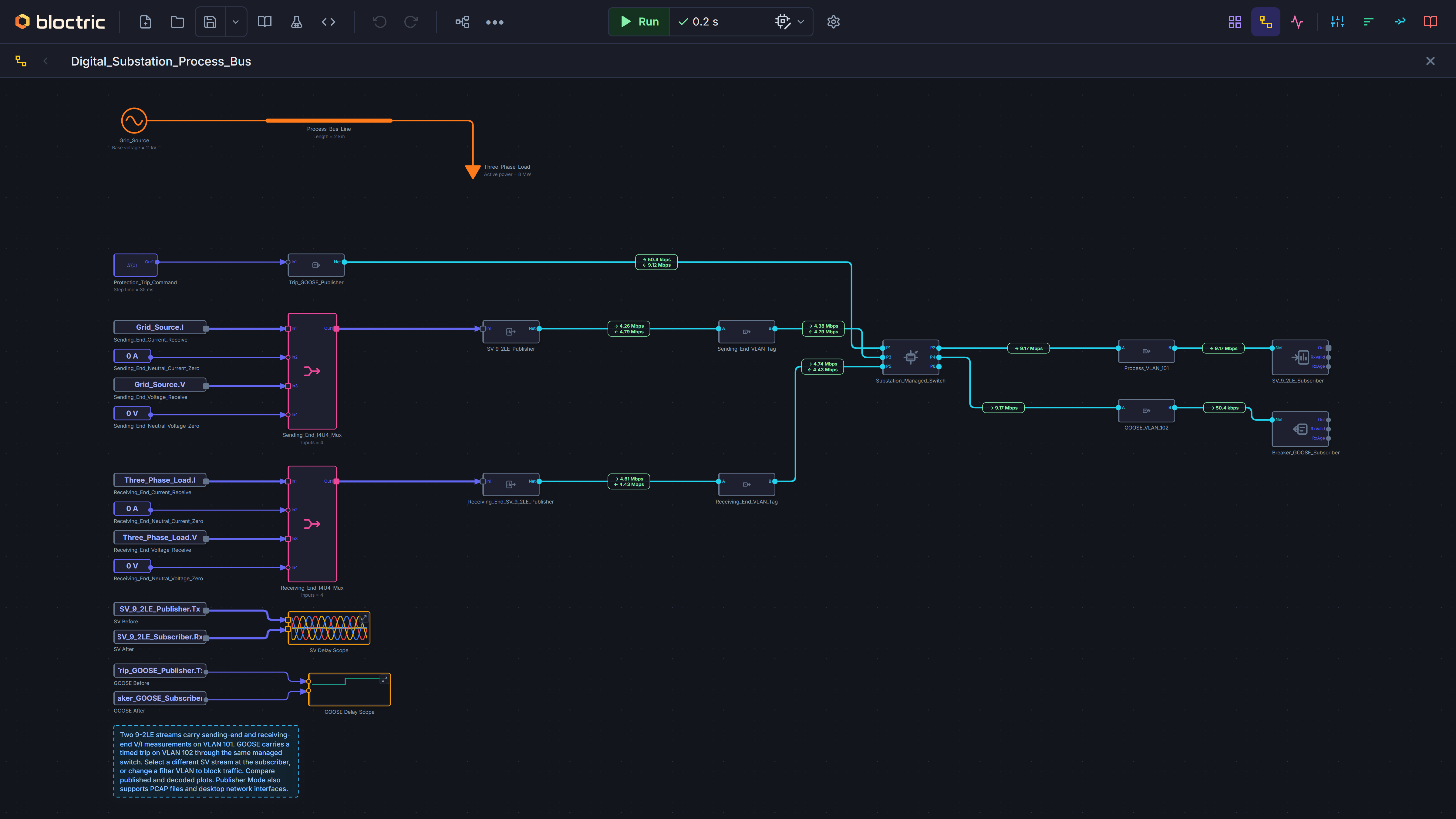
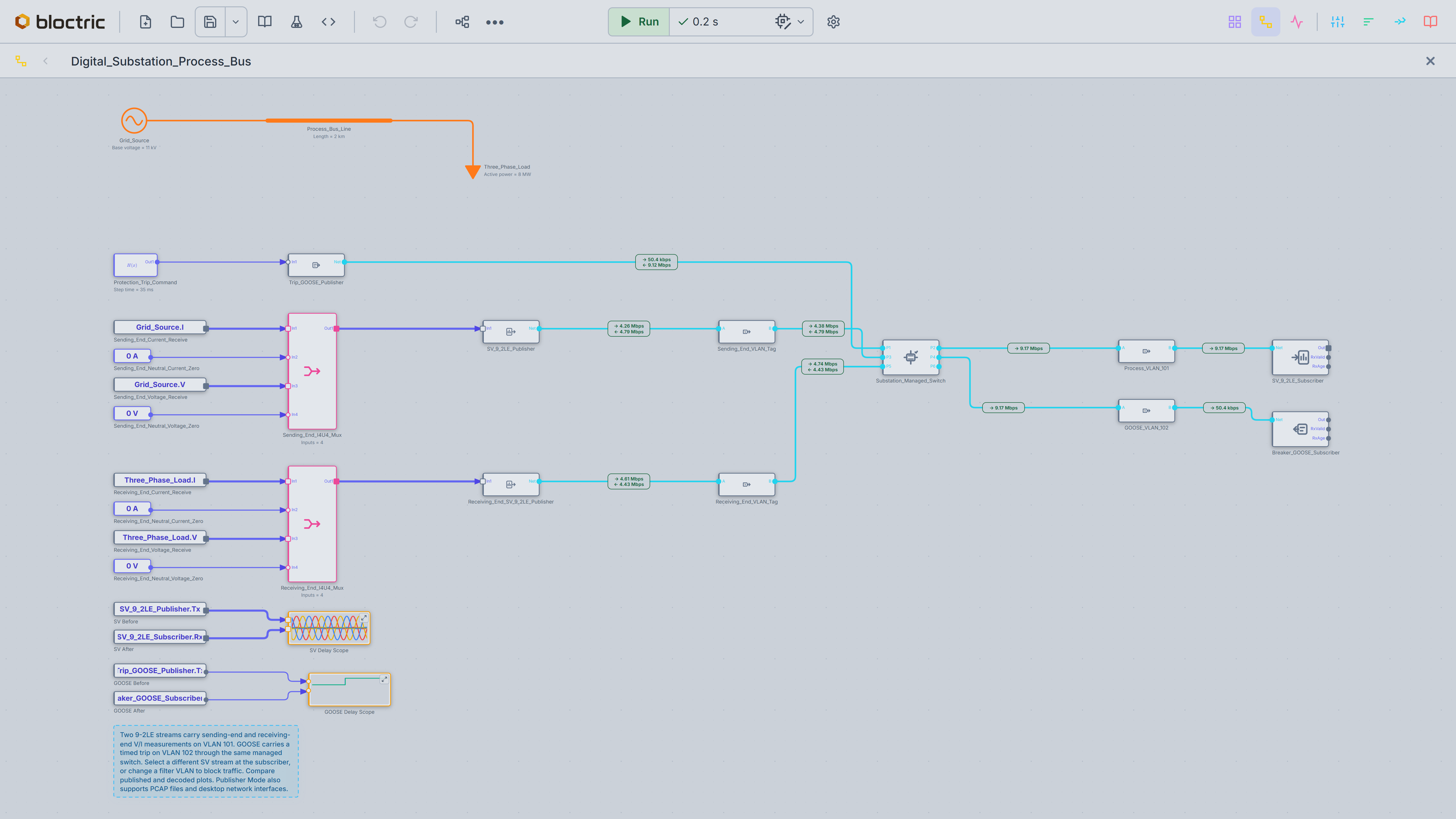
Execute sampled-value (SV) streams and GOOSE process bus messages through virtual Ethernet networks, including switches and VLANs. Authentically model modern substation systems.
Model overcurrent, distance, and differential protection. Apply faults to inspect relay operation and breaker trips.
Intelligently collect all output values as named signals, to simplify connectivity without needing excessive explicit connections between blocks.
Automatic initialisation of parameters. Easy to control and filter.
Available on all plots to visualise the impact of parameter changes.
Seamless background compilation of the model into a native binary which greatly improves execution efficiency.
Automate tedious processes for understanding parameter sensitivity or optimal values.
Greatly speed up large-scale simulations, when exploring or optimising your model design.
Supports WebMCP so that model creation and testing can be efficiently optimised using text prompts e.g. from Claude Code or Codex.
Include wide-area networks, such as MPLS and SDH, to validate full protection and control schemes.
Run offline in native applications for Windows, macOS, and Linux. Offers fastest simulation performance and unlocks additional features.
PRICING
£0Free
Start in your browser
No account required
£4.99/ month
Everything in Free, plus:
£9.99/ month
Everything in Pro, plus:
Prices shown in GBP. Checkout confirms the currency, applicable taxes, and total before you pay. Cloud pricing is provisional. Larger models can still be opened, edited, and saved on Free.
Yes. Without an account, you can open, edit, and save models, and simulate or export source code for models with up to 160 functional blocks.
Browser simulations run on your device. Online code generation sends the relevant model and dependencies to our service. The service does not save them as hosted projects. Technical and security records are described in our Privacy notice.
You can import .slx models with supported features and save them as Bloctric projects. Check the import report and validate the results for your model.
See Simulink compatibilityBoth editions include simulation and C/C++/Go source export. Desktop builds also support faster native execution, IEC 61850 access to physical network interfaces, and additional optimisations for C/C++/Go source code export.
The native app supports offline modelling, simulation, and code generation. Paid features require online activation and remain available until the saved licence expires. The browser app can run interpreted simulations offline once loaded. Keep exported copies of your models.
MODEL IMPORT
Bring supported .slx models into Bloctric. Selected models are tested against Simulink results.
Core control blocks, nested subsystems, linked libraries, and numeric parameters.
Broader vector and matrix support, multi-rate models, and conditional execution.
General MATLAB code, S-functions, Stateflow, and Simscape models.
Import process will flag known limitations. Check the report and validate results for your model.